
Documentation Menu
Topic Discovery
Before generating content, Diogen AI lets you build a backlog of ideas using the powerful Topics Generator. This ensures you never run out of things to write about and perfectly avoids duplicate content.
1. What are Topics?
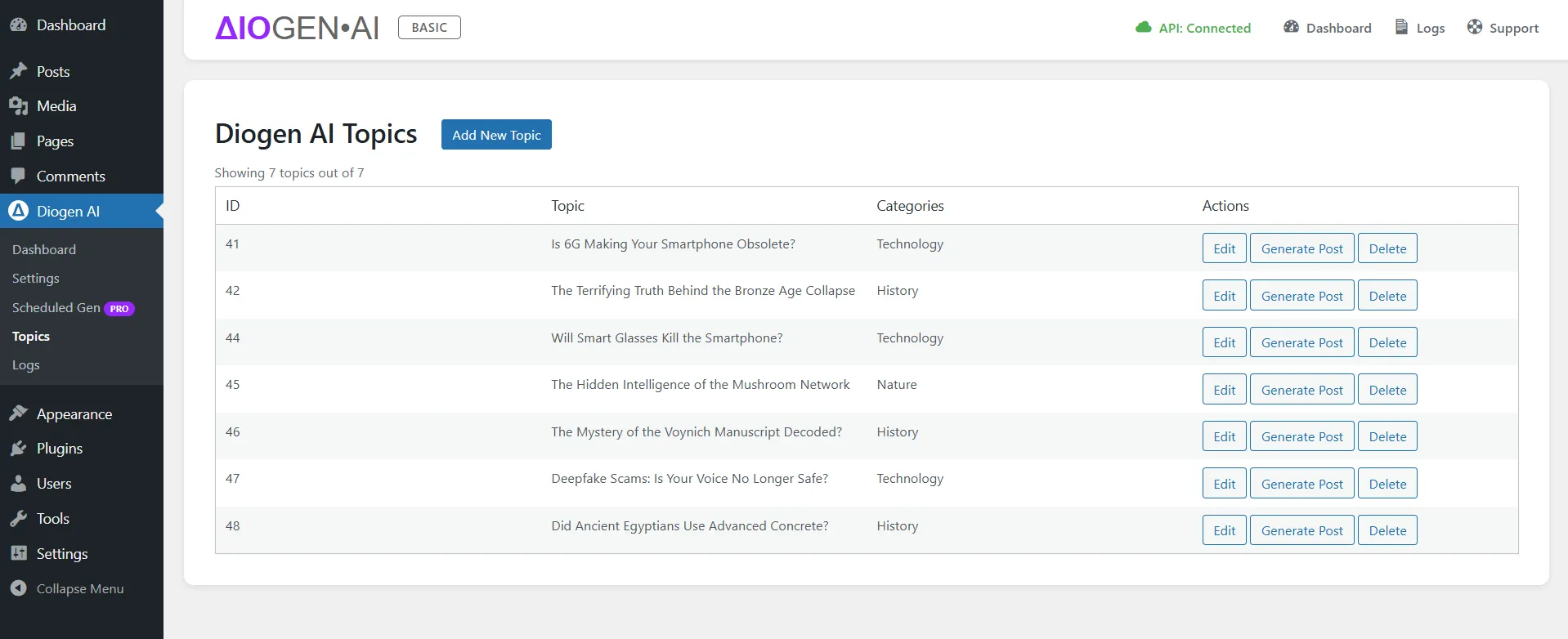
In Diogen AI, a Topic is roughly equivalent to a future post title and assigned categories. Generating a Topic does not generate the full article right away; it simply adds the idea to your backlog. You can then choose which topics to generate into full posts.
2. Generating New Topics
To generate topics, navigate to Diogen AI Dashboard in your WordPress admin.
- Select Categories you want to generate topics for.
- Set the Number of Topics you want the AI to brainstorm.
- Click Generate Topics.
3. Adding New Topic Manually
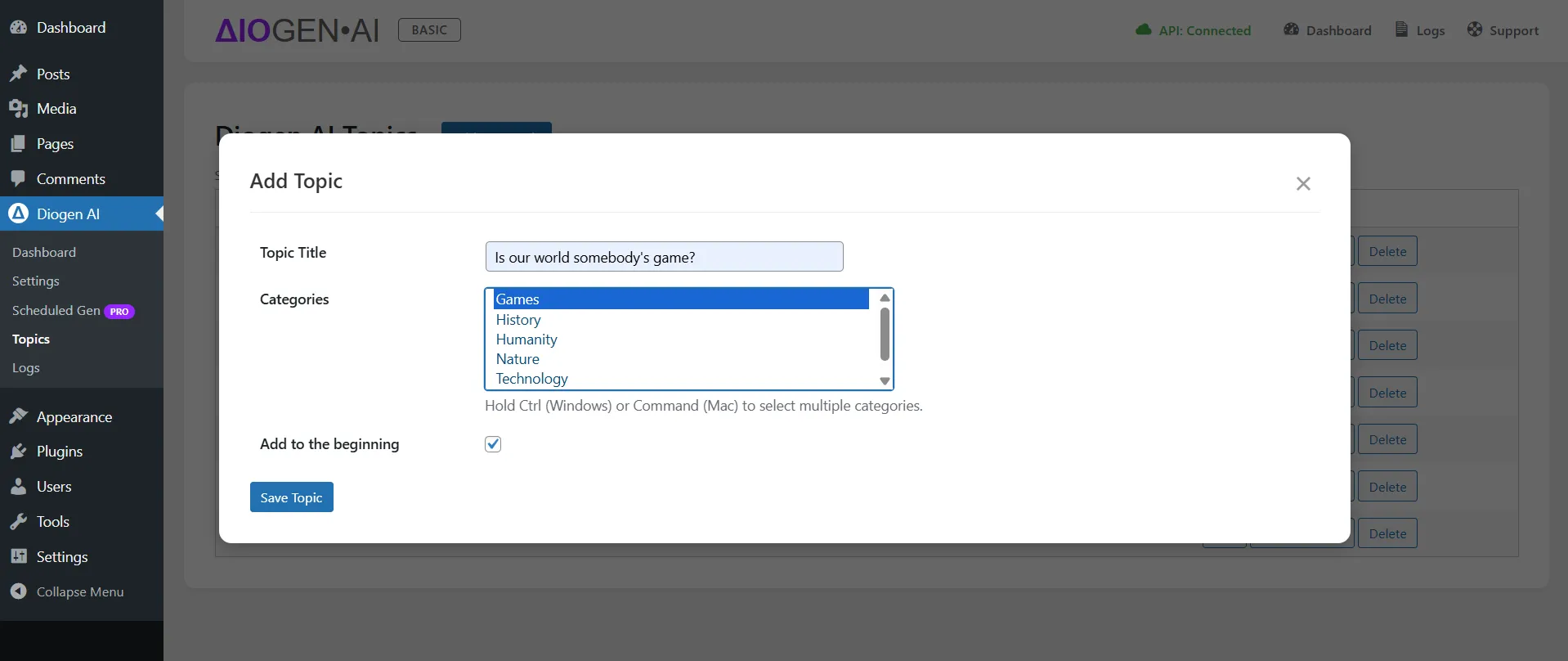
You can also add a new topic manually by navigating to the Diogen AI > Topics in your WordPress admin.
- Click on the Add New Topic button.
- Set the title and other attributes.
- Click Save Topic.
The AI will scan your existing published posts and the topics already in your backlog to ensure it only suggests new, non-duplicate ideas.
4. Managing Your Backlog
Once generated, your ideas will appear in the Topics page. From here, you can:
- Review the suggested topics.
- Delete any topics you find irrelevant.
- Edit topic title or categories to refine them before generation.
- Click Generate Post on the specific topic to immediately write an article for that idea.
Pro Tip for Bulk Ideation
For maximum efficiency, you can use the Pro version's Scheduled Generation to generate topics and publish posts on complete autopilot.